Know who's where, in real time
GPS-enabled time tracking with geofencing, reverse geocoding, and offline support. Employees clock in from their phone when they arrive — you see their location, accuracy, and working hours without chasing timesheets.
Clock-ins that prove they were there
When an employee clocks in, WagePerks captures their GPS coordinates and converts them into a readable address using reverse geocoding. You don't see "51.5074, -0.1278" — you see "14 Oxford Street, London." Clear, human-readable proof of location.
Each clock event logs the timestamp, GPS coordinates, accuracy radius, and location name. The entire history is stored and available for reporting. No more "I was definitely there on time" arguments.
- GPS location captured on every clock-in and clock-out
- Reverse geocoding — see place names, not coordinates
- Accuracy radius displayed so you know how precise the reading is
- Live timer on the employee's phone during their shift
- Full clock history with map view of all events
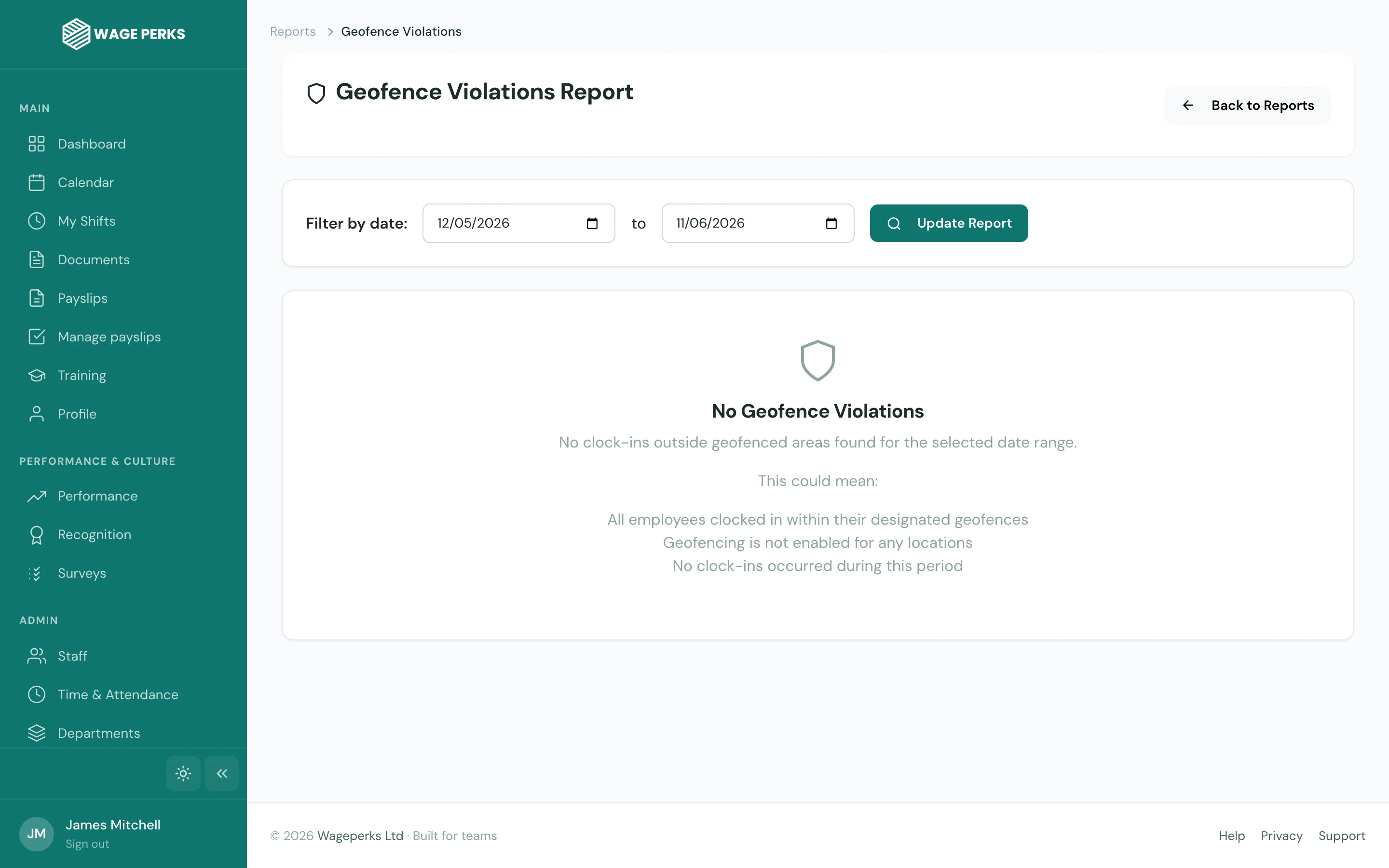
Set boundaries. Get alerts. Stay in control.
Draw a virtual fence around each work location. When an employee clocks in from inside the geofence, everything's green. When they clock in from outside it, the system flags it as a violation — and you see it immediately.
Geofencing is perfect for businesses with multiple sites, mobile workers, or any situation where you need to verify that people are actually at the right place when they say they are. Set it once and it works automatically, every shift, every day.
- Geofence creation — draw custom boundaries around any work location
- Automatic validation of every clock-in against the assigned geofence
- Geofence violation alerts — instant notification to managers
- Multiple geofences per organisation for multi-site businesses
- Adjustable radius to account for building size and GPS accuracy
- Geofence violation reporting with historical analysis
Works even when the signal doesn't
Construction sites. Basements. Rural locations. Not everywhere has reliable signal, and your time tracking shouldn't fail when the internet does. WagePerks supports offline clock-ins — the data is captured locally and synced automatically when connectivity returns.
No lost data. No "the app didn't work" excuses. The GPS coordinates and timestamp are recorded at the moment of clock-in, regardless of network availability.
- Offline clock-in support — captures data locally without internet
- Automatic sync when connectivity is restored
- GPS coordinates recorded at the moment of clock-in, not sync time
- Works on both iOS and Android
- Battery-efficient GPS — captures location only at clock events
Time tracking you can trust
Verified location on every clock event
Works without internet coverage
Auditable time records
From clock-in to payroll, no gaps
Clock data feeds directly into timesheet reports. Hours worked, overtime, late arrivals, early departures — it's all calculated automatically and ready to export for your payroll provider.
Timesheet Reports
Hours worked per employee, per day, per week — calculated from actual clock data and ready for payroll.
Payroll Exceptions
Absences, overtime, TOIL, and late arrivals flagged automatically. Review exceptions before payroll runs.
Audit Trail
Every clock event is logged with GPS, timestamp, and accuracy data. Complete, defensible time records.
Common questions about GPS Clock In & Out
Does the app track employees continuously?
No. WagePerks only captures GPS location at the moment of clock-in and clock-out. It does not track employee movements between those events. The app is battery-efficient and privacy-respecting.
What happens if an employee clocks in outside the geofence?
The clock-in is still recorded — it's not blocked. However, it's flagged as a geofence violation in the system, and the manager receives a notification. This gives you visibility without preventing employees from recording their time.
How accurate is the GPS?
GPS accuracy depends on the employee's device and environment. WagePerks displays the accuracy radius alongside every clock event, so you can see exactly how precise each reading is. Typical accuracy is 5-15 metres in outdoor environments.
Can employees forget to clock out?
The app shows a live timer while they're clocked in, which serves as a constant reminder. Managers can also see who is currently clocked in and nudge anyone who's forgotten to clock out at the end of their shift.
Does it work for employees who work at multiple sites?
Yes. You can set up multiple geofences for your organisation, and employees can clock in at any of them. The system records which geofence they clocked into, so you know exactly which site they were at.